
Best Discounts
The best discounts this week
Every week you can find the best discounts here.

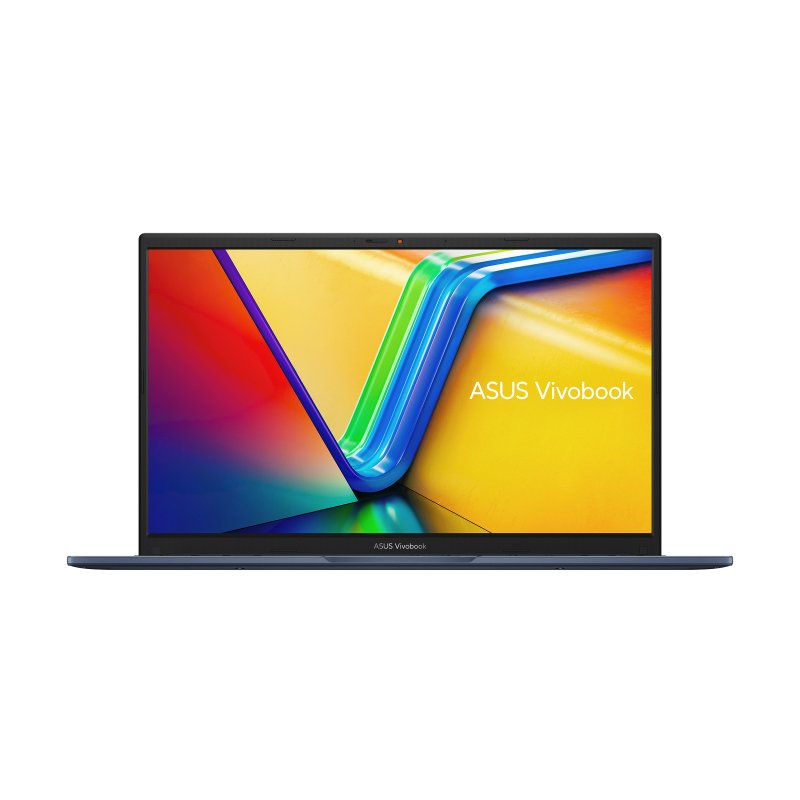
ASUS Vivobook 15 X1504VA-BQ035W, Intel® Core™ i5, 15.6-inch (39.6 cm) Display, 1920 x 1080 Resolution, 16 GB RAM, 512 GB Storage
€689.86
In Stock
- Model: ASUS Vivobook 15 X1504VA-BQ035W
- Processor: Intel® Core™ i5-1335U
- Display: 15.6-inch Full HD (1920 x 1080 pixels)
- Memory: 16 GB DDR4-SDRAM
- Storage: 512 GB SSD
- Graphics: Integrated Intel Iris Xe Graphics
- Operating System: Windows 11 Home
- Weight: 1.7 kg, Color: Blue
In Stock
- Delivered today (order Mon-Fri before 12:00, delivery between 17:00 and 22:00)
- Including shipping costs, sent by buymefy.com
- Pick up at a buymefy.com collection point is possible
- 30 days to change your mind and free returns
- Day and night customer service
Description
How to Use the ASUS Vivobook 15 X1504VA-BQ035W
1. Unboxing Your Laptop
- Carefully open the box and remove the ASUS Vivobook 15.
- Take out the charger and any included documentation.
- Inspect the laptop for any physical damage.
2. Charging Your Laptop
- Connect the power adapter to a wall outlet.
- Plug the other end into the laptop’s charging port.
- Allow the laptop to charge fully before the first use (recommended).
3. Powering On
- Press the power button located on the keyboard (usually at the top-right).
- Wait for the laptop to boot up and display the Windows 11 Home setup screen.
4. Setting Up Windows 11
- Select your language and region preferences.
- Connect to your Wi-Fi network.
- Sign in with your Microsoft account or create a new account.
- Follow the on-screen prompts to complete the setup process.
5. Familiarizing Yourself with the Keyboard and Touchpad
- Practice using the touchpad to navigate the screen.
- Familiarize yourself with the function keys and their shortcuts.
- Learn how to adjust the volume and brightness using the dedicated keys.
6. Installing Software
- Open the Microsoft Store to download applications.
- Install any necessary software, such as web browsers or productivity tools.
- Ensure your antivirus program is up to date to protect your device.
7. Connecting External Devices
- Use USB ports to connect peripherals such as a mouse, keyboard, or external drive.
- Connect to external displays using HDMI or USB-C ports if needed.
8. Caring for Your Laptop
- Avoid exposing the laptop to extreme temperatures or moisture.
- Clean the screen and keyboard regularly with appropriate cleaning materials.
- Keep the laptop updated with the latest Windows and driver updates.
9. Powering Off
- Save all your work and close any open applications.
- Click on the Start menu and select the power icon.
- Choose “Shut down” to turn off your laptop safely.
10. Troubleshooting Common Issues
- If the laptop is not responding, try holding down the power button for 10 seconds to force a shutdown.
- For connectivity issues, check your Wi-Fi settings and ensure your router is functioning properly.
- Refer to the user manual for specific error messages or technical support.


Reviews
There are no reviews yet.