
Best Discounts
The best discounts this week
Every week you can find the best discounts here.







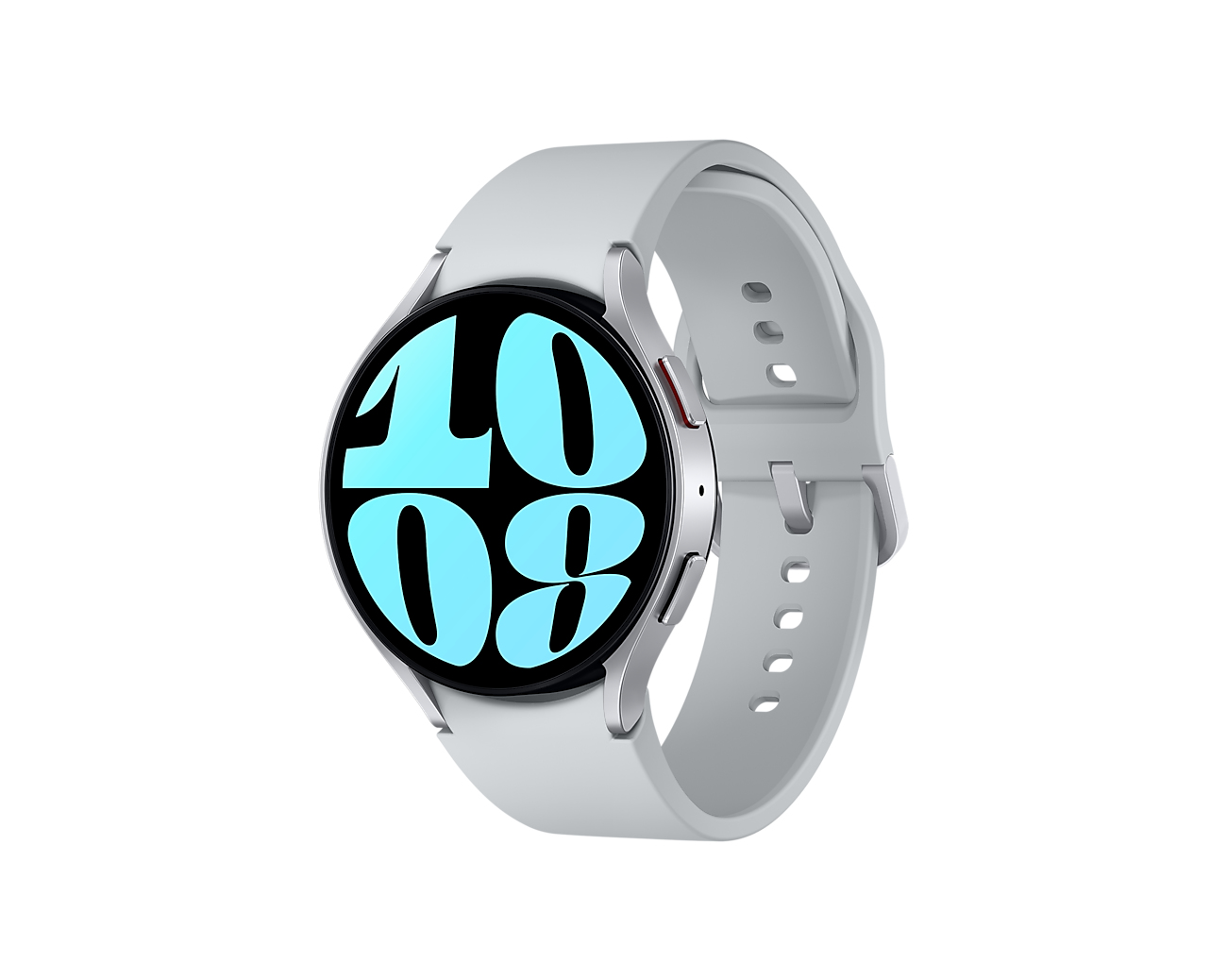
Samsung Galaxy Watch 6 Graphite 40mm with Bluetooth
€189.81
In Stock
- Enhanced Health Monitoring: Improved sleep analysis and coaching for better health tracking.
- Larger, Sleeker Display: 20% larger screen with a 30% slimmer bezel for more visibility and customization options.
- Stylish and Comfortable Design: Elegant, lightweight design for easy wear, featuring a seamless fit.
- Quick Band Changes: Effortless band swapping with a one-button mechanism for versatile styling.
- Durable Sapphire Glass: Scratch-resistant and robust display, rated IP68 and 5ATM for water and dust resistance.
- Comprehensive Fitness Tracking: Supports over 90 workout programs and automatic detection of select activities.
- Heart and Blood Pressure Monitoring: Integrated sensors for real-time heart rate, rhythm, and blood pressure tracking.
- Smart Features: Ability to make calls, send texts, and use Samsung Wallet, plus compatibility with Galaxy Z Flip5 for camera control.
In Stock
- Delivered today (order Mon-Fri before 12:00, delivery between 17:00 and 22:00)
- Including shipping costs, sent by buymefy.com
- Pick up at a buymefy.com collection point is possible
- 30 days to change your mind and free returns
- Day and night customer service
Description
How to Use the Samsung Galaxy Watch 6 Bluetooth 40mm Graphite
Getting Started
- Unbox your Samsung Galaxy Watch 6.
- Charge your watch using the included charging dock until the battery is full.
- Download the Samsung Wearable app on your smartphone from the Google Play Store or Apple App Store.
Pairing with Your Smartphone
- Open the Samsung Wearable app on your smartphone.
- Select “Get Started” and choose “Galaxy Watch 6” from the list of devices.
- Follow the on-screen instructions to complete the pairing process.
- Grant necessary permissions for notifications and health tracking.
Customizing Your Watch Face
- Press and hold the current watch face.
- Swipe left or right to browse through available watch faces.
- Select a watch face you like and tap “Set as Current.”
- To customize further, tap on “Customize” to change colors, styles, and complications.
Changing the Bands
- Locate the band release button on the back of the watch.
- Press the button to release the band from the watch body.
- Attach a new band by sliding it into the slot until you hear a click.
Tracking Your Health
- Wear your watch snugly on your wrist for accurate readings.
- Open the Samsung Health app on your watch.
- Navigate to “Heart Rate,” “Blood Pressure,” or “Sleep” to start tracking.
- For sleep tracking, wear your watch while you sleep.
Using Fitness Tracking Features
- Open the “Workout” app from the watch menu.
- Select your desired workout type (e.g., Running, Yoga).
- Tap “Start” to begin tracking your activity.
- Your watch will automatically recognize certain workouts, so no need to manually start them.
Receiving Notifications
- Ensure notifications are enabled in the Samsung Wearable app on your smartphone.
- Choose which apps you want notifications from.
- View notifications directly on your watch by swiping down from the watch face.
Using Samsung Wallet
- Open the Samsung Wallet app on your watch.
- Follow the prompts to set up your payment methods.
- Tap your watch to make payments at supported terminals.
Maintaining Your Watch
- Keep the watch software updated via the Samsung Wearable app.
- Clean your watch regularly using a soft, dry cloth.
- Store your watch in a cool, dry place when not in use.
Conclusion
Your Samsung Galaxy Watch 6 is now ready for use! Explore its features, customize it to your liking, and enjoy tracking your health and fitness activities.
Related products


Reviews
There are no reviews yet.