
Best Discounts
The best discounts this week
Every week you can find the best discounts here.







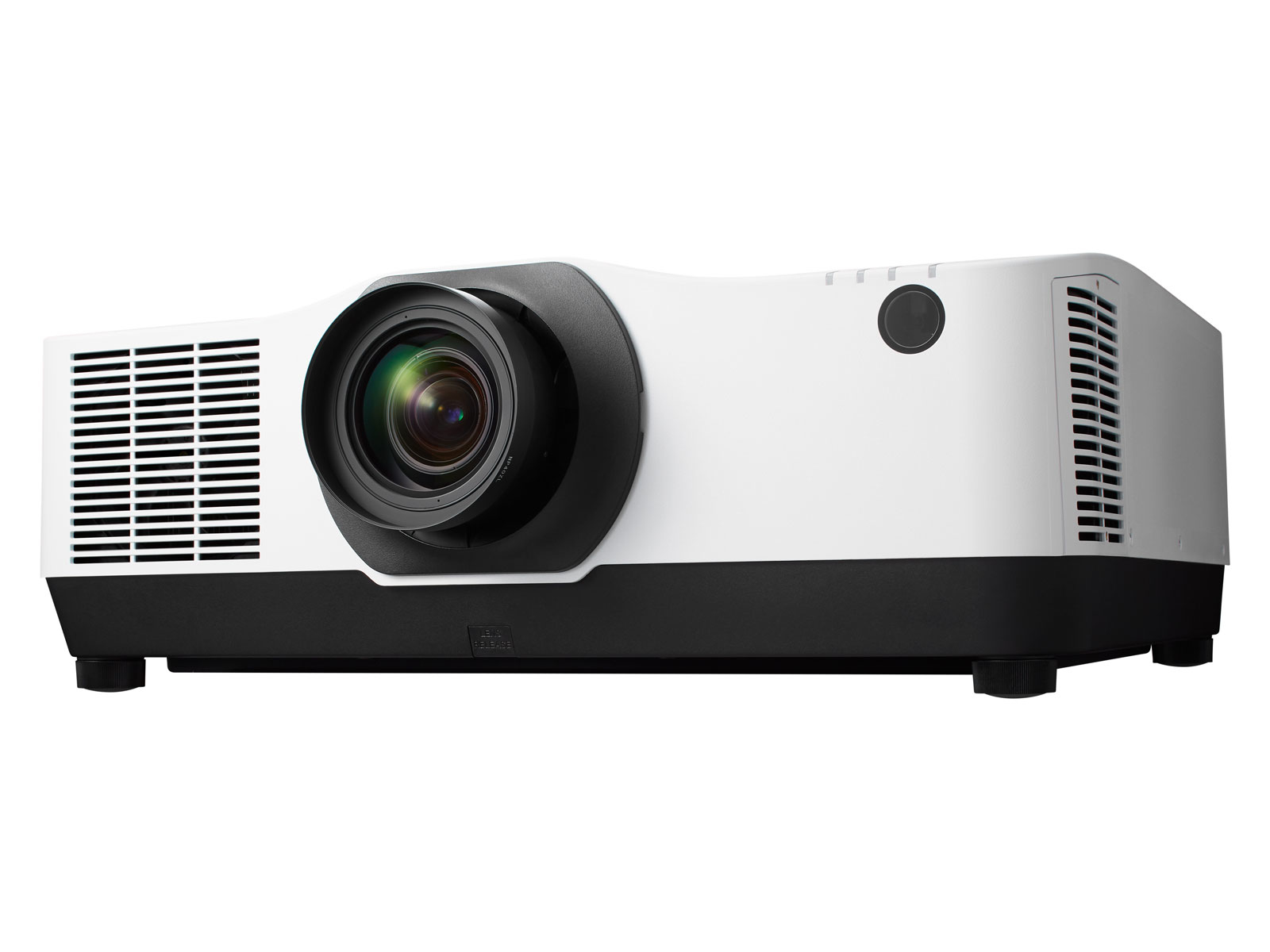
Optoma ZH462 Projector – 5000 ANSI Lumens, DLP Technology, 1080p Resolution (1920×1080), 3000000:1 Contrast Ratio, Supports 16:9, 4:3, and 16:10 Aspect Ratios
€1,341.36
In Stock
- Model: Optoma ZH462 DLP projector
- Brightness: 5000 ANSI Lumens
- Native Resolution: 1080p (1920×1080)
- Light Source: Laser with a lifespan of 30,000 hours
- Focal Length Range: 16.90 – 21.61 mm with manual zoom
- Aspect Ratios Supported: 16:9, 4:3, 16:10
- Analog Signal Formats: Supports multiple NTSC and PAL standards
- Connectivity: Includes RJ-45 and RS-232 serial interfaces
In Stock
- Delivered today (order Mon-Fri before 12:00, delivery between 17:00 and 22:00)
- Including shipping costs, sent by buymefy.com
- Pick up at a buymefy.com collection point is possible
- 30 days to change your mind and free returns
- Day and night customer service
Description
How to Use the Optoma ZH462 Projector
Unboxing and Setup
- Carefully remove the projector from the box.
- Check the contents of the box to ensure all accessories are included:
- Power cable
- Remote control
- User manual
- HDMI cable (if included)
- Place the projector on a stable surface, preferably on a projector stand or table.
- Ensure there is adequate ventilation around the projector for cooling.
Connecting the Projector
- Connect the power cable to the projector and plug it into a power outlet.
- Use an HDMI cable to connect the projector to your laptop, computer, or any other video source.
- If using an analog video source, use the appropriate cable (e.g., VGA) for connection.
Powering On the Projector
- Press the power button on the projector or use the remote control to turn it on.
- Wait for the projector to warm up; the power indicator will change from red to green.
Adjusting the Image
- Use the manual zoom control to adjust the image size as needed.
- Position the projector at the desired distance from the screen for optimal image quality.
- Adjust the focus by rotating the focus ring until the image is sharp.
Selecting the Input Source
- Press the “Input” button on the remote control or the projector to cycle through available sources.
- Select the appropriate input source (e.g., HDMI or VGA) based on your connection.
Adjusting Settings
- Access the on-screen menu by pressing the “Menu” button on the remote control.
- Navigate through the options using the arrow keys.
- Adjust settings such as brightness, contrast, and color based on your preference.
- Save changes and exit the menu.
Powering Off the Projector
- Press the power button on the projector or use the remote control to turn it off.
- Wait for the projector to cool down; do not unplug it immediately.
- Once the power indicator turns red, you can unplug the projector from the power outlet.
Maintenance Tips
- Regularly clean the projector lens with a microfiber cloth.
- Check and replace the air filter as necessary to prevent overheating.
- Store the projector in a cool, dry place when not in use.
Related products


Recently viewed items



100%


FiiO JH5 Hybrid 5-Driver Wired In-Ear Monitor Headphones – Black with 0.78 2-pin Detachable Silver-Plated Copper 3.5mm Braided Cable – Featuring 1 Dynamic and 4 Balanced…
Original price was: €8,977,213.77.€84.55Current price is: €84.55.
In Stock


Reviews
There are no reviews yet.