
Best Discounts
The best discounts this week
Every week you can find the best discounts here.







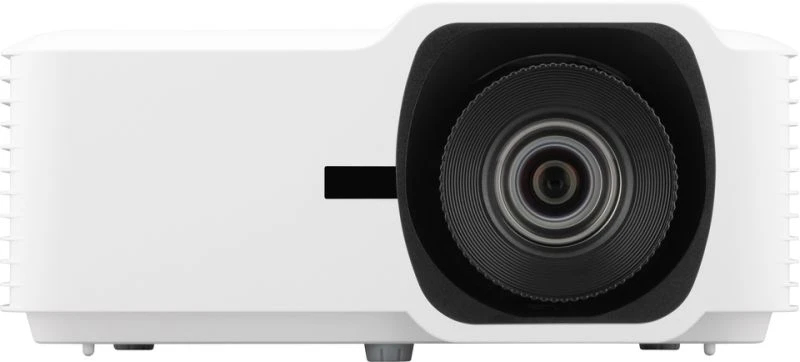
Optoma ZK810TST DLP Projector, 7200 ANSI Lumens, UHD 4K (3840×2160) Resolution, 3000000:1 Contrast Ratio, 16:9 Aspect Ratio, 1270 – 25400 mm (50 – 10 ft) Projection Range
€12,836.76
In Stock
- Model: Optoma ZK810TST
- Brightness: 7200 ANSI Lumens
- Projection Technology: DLP
- Native Resolution: UHD 4K (3840×2160)
- Light Source: Laser with a lifespan of 30,000 hours
- Focal Length Range: 9.69 – 11.19 mm
- Zoom Type: Auto with a projection ratio of 0.65:1 – 0.75:1
- Connectivity: RJ-45, RS-232; supports multiple menu languages
In Stock
- Delivered today (order Mon-Fri before 12:00, delivery between 17:00 and 22:00)
- Including shipping costs, sent by buymefy.com
- Pick up at a buymefy.com collection point is possible
- 30 days to change your mind and free returns
- Day and night customer service
Description
How to Use the Optoma ZK810TST Projector
1. Setting Up the Projector
- Unpack the projector and ensure all components are included.
- Place the projector on a stable surface or mount it on the ceiling.
- Connect the power cable to the projector and plug it into a wall outlet.
- Connect your video source (laptop, DVD player, etc.) using the appropriate cable (HDMI, VGA, etc.).
2. Powering On the Projector
- Locate the power button on the projector.
- Press the power button to turn on the projector.
- Wait for the projector to warm up (this may take a few moments).
3. Adjusting the Projection
- Use the auto zoom feature to automatically adjust the image size.
- Adjust the focus ring to sharpen the image quality.
- Position the projector within the focal length range of 1270 – 25400 mm (50 – 100 inches) for optimal viewing.
4. Navigating the Menu
- Press the “Menu” button on the remote control or projector.
- Use the arrow keys to navigate through the menu options.
- Select desired settings such as brightness, contrast, and input source.
5. Connecting to Networks and Devices
- For wired connections, use the RJ-45 port for network access.
- For serial connections, use the RS-232 port if needed for control systems.
- Ensure the projector is connected to the same network as your devices for seamless streaming.
6. Adjusting Sound and Noise Levels
- Monitor the noise level during operation; it operates at 38 dB (34 dB in eco mode).
- Adjust the volume settings from your connected device to ensure sound quality.
7. Powering Off the Projector
- Press the power button to turn off the projector.
- Allow the projector to cool down before unplugging it.
- Disconnect all cables and store the projector in a safe place.


Reviews
There are no reviews yet.