
Best Discounts
The best discounts this week
Every week you can find the best discounts here.
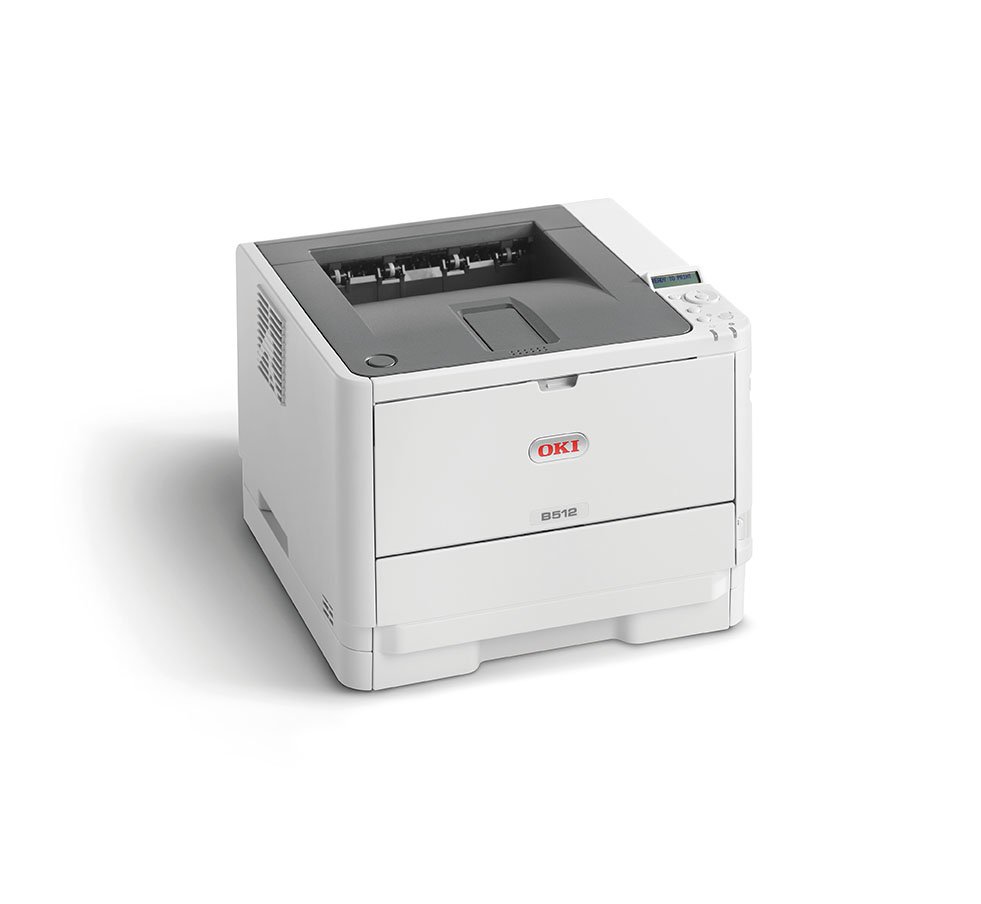
OKI B512dn LED Printer, 1200 x 1200 DPI, A4 Size, 45 Pages Per Minute, Duplex Printing, Network Capable
€512.80
In Stock
- High-speed A4 monochrome printer, capable of 45 pages per minute.
- Automatic duplex printing to save paper and optimize efficiency.
- High monthly duty cycle suited for heavy printing volumes.
- Large capacity standard paper tray for extended print runs.
- Equipped with Gigabit network connectivity for quick access by multiple users.
- Cost-effective operation with high-capacity toner options.
- Reliable digital LED technology ensuring long-term performance.
- Backed by OKI’s industry-leading warranty for excellent service.
In Stock
- Delivered today (order Mon-Fri before 12:00, delivery between 17:00 and 22:00)
- Including shipping costs, sent by buymefy.com
- Pick up at a buymefy.com collection point is possible
- 30 days to change your mind and free returns
- Day and night customer service
Description
How to Use the OKI B512dn Printer
Unboxing and Setup
- Carefully remove the printer from the box.
- Remove all packing materials and protective tape.
- Place the printer on a flat, stable surface near a power outlet.
- Connect the power cord to the printer and the outlet.
- Turn on the printer using the power button.
Installing the Toner Cartridge
- Open the front cover of the printer.
- Remove the toner cartridge from its packaging.
- Insert the toner cartridge into the designated slot inside the printer.
- Close the front cover securely.
Loading Paper
- Pull out the paper tray from the printer.
- Adjust the paper guides to fit the size of the A4 paper.
- Load the A4 paper into the tray, ensuring it is aligned correctly.
- Push the tray back into the printer.
Connecting to a Network
- Connect the printer to your network using an Ethernet cable.
- Ensure the printer is powered on.
- Access the printer’s control panel to configure network settings.
- Follow the on-screen instructions to connect to your network.
Printing a Document
- Open the document you want to print on your computer.
- Select ‘Print’ from the file menu or press Ctrl + P.
- Choose ‘OKI B512dn’ from the list of printers.
- Adjust the print settings if necessary (e.g., double-sided printing).
- Click ‘Print’ to start printing.
Maintaining the Printer
- Regularly check toner levels and replace cartridges when low.
- Keep the printer clean and dust-free.
- Perform software updates as recommended by the manufacturer.
- Consult the user manual for troubleshooting tips.
Turning Off the Printer
- Press the power button to turn off the printer.
- Unplug the power cord if you will not be using the printer for an extended period.




Reviews
There are no reviews yet.