
Best Discounts
The best discounts this week
Every week you can find the best discounts here.

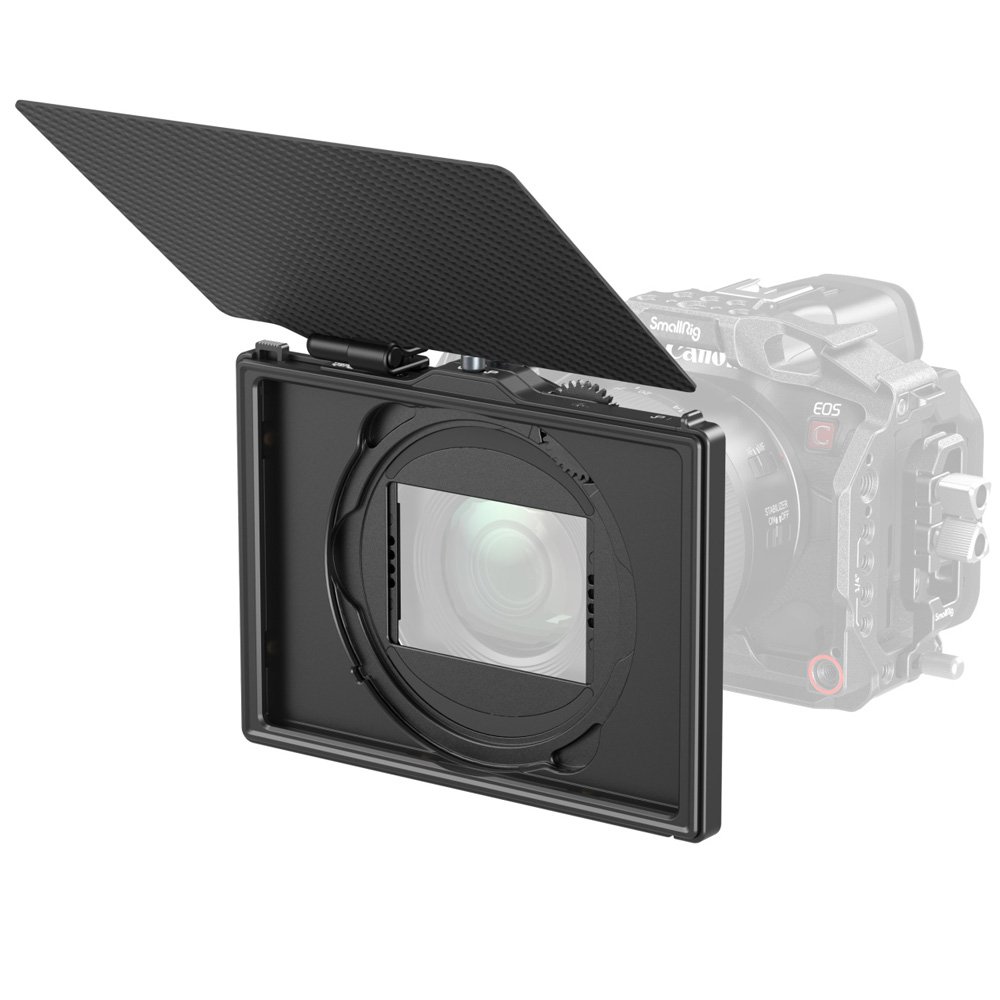

SmallRig – LITE Matte Box with Adjustable Clamp – Model 4409
€110.90
In Stock
- Adjustable clamp matte box for versatile use
- Three-point locking system for secure and easy setup/removal
- Clamp range of 67 to 82 mm for compatibility with various lenses
- Slim design accommodates both round and square filters (excluding 4×4″)
- Prevents vignetting and glare with full-frame cameras/lenses at a minimum 16mm focal length
- Includes 1x SmallRig 4409 LITE Matte Box, 1x 4×5.65″ filter holder, and 1x top flag
In Stock
- Delivered today (order Mon-Fri before 12:00, delivery between 17:00 and 22:00)
- Including shipping costs, sent by buymefy.com
- Pick up at a buymefy.com collection point is possible
- 30 days to change your mind and free returns
- Day and night customer service
Description
How to Use the SmallRig – LITE Matte Box with Adjustable Clamp – 4409
Introduction
The SmallRig LITE Matte Box is designed to help you achieve professional-quality footage by preventing unwanted light from hitting your lens and reducing glare. Follow these simple instructions to get started.
What You Will Need
- SmallRig 4409 LITE Matte Box
- Compatible camera and lens
- Filters (round or square, except 4×4″)
- Tripod or camera rig for stabilization
Assembling the Matte Box
- Remove the matte box and accessories from the packaging.
- Attach the adjustable clamp to the front of your lens:
- Loosen the locking screws on the clamp.
- Place the clamp over the lens, ensuring it fits securely.
- Tighten the locking screws to secure the clamp in place.
- Attach the matte box to the adjustable clamp:
- Align the matte box with the clamp.
- Use the three-point locking system to secure the matte box to the clamp.
Installing Filters
- Open the filter holder by releasing the locking mechanism.
- Insert your filter into the holder:
- Ensure the filter is properly aligned and secured.
- Close the filter holder and lock it in place.
Adjusting the Top Flag
- Locate the top flag attached to the matte box.
- Adjust the position of the top flag to block any unwanted light:
- Loosen the adjustment knob.
- Position the flag at the desired angle.
- Tighten the adjustment knob to secure the flag.
Tips for Use
- Make sure to check for any vignetting by testing your setup before shooting.
- Experiment with different filter combinations to achieve the desired effect.
- Regularly check the tightness of all screws to maintain stability during shoots.
Conclusion
Now you are ready to use your SmallRig LITE Matte Box to enhance your videography! Enjoy capturing high-quality footage without the distractions of unwanted light and glare.
Related products


Reviews
There are no reviews yet.